FlowState

Free · Open source · MIT

One memory for all your AI apps.

FlowState gives Claude, ChatGPT, Cursor and Grok the same memory of your projects: to-dos, decisions, changes and lessons learned. The next chat, or the next app, picks up where the last one stopped.

If FlowState saves you some re-explaining, a star on GitHub helps others find it.
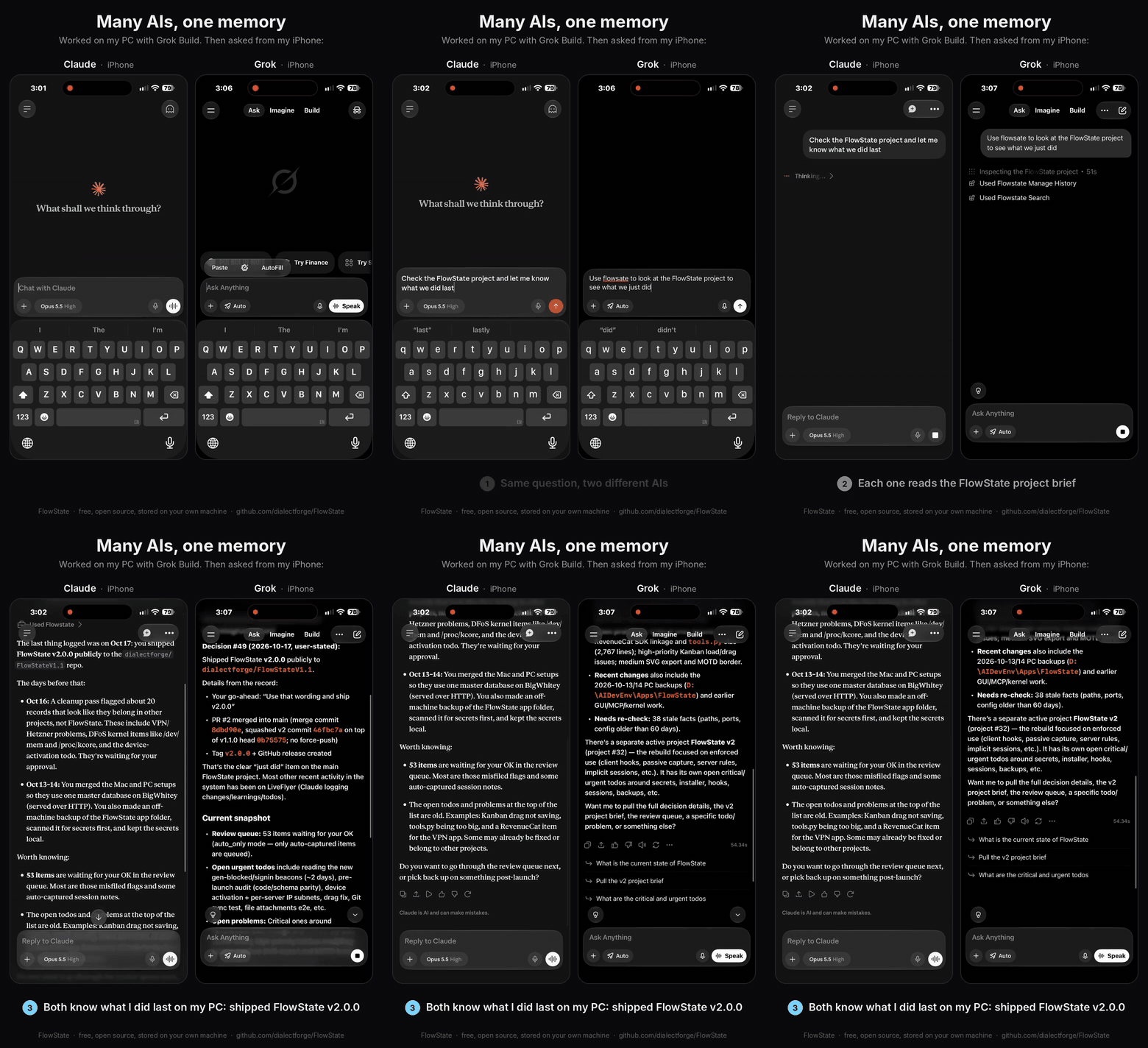
Claude and Grok on an iPhone, side by side, both reading the same FlowState project brief

Claude and Grok on an iPhone, both knowing what was just shipped from the PC.


How it works

FlowState is a small MCP server that runs on your computer. Any AI app that speaks MCP can read and write to it.

01

Your AI reads a brief

When it starts on a project, it gets a short summary of where things stand, plus your hard rules and handoff notes.

02

It writes as it works

Decisions, changes, problems and to-dos get logged as they happen, and every entry records which AI made it.

03

Every app stays in sync

Switch from Cursor on your desk to Claude on your phone. They all see the same memory, at the same time.


Your data stays on your machine.

Everything lives in one SQLite file on your computer. Nothing is sent anywhere unless you turn on an optional feature that does so, like an off-site backup to your own private GitHub repo.

The local version of FlowState is free and MIT-licensed, and it will stay that way.


Security

Where your data goes, and what we can and can't see. It describes what the code does today.

How FlowState is secured


What's next

We offer optional paid services around the free core, for people who want them. Relay is open in beta now. Hosted and Map are still being built.


Get started

Paste this into an AI app that can run commands on your computer, like Claude Code, Cursor, Codex CLI or Grok Build:

Set up FlowState for me from https://github.com/dialectforge/FlowState by following its AGENTS.md.

Step by step: Setup guide · Guide for AI agents